For most feeds in 2026, export photos at 1080 pixels wide: 1080 x 1350 px (4:5) for Instagram and LinkedIn posts, 1080 x 1920 px (9:16) for Stories and Reels covers, 1280 x 720 px for YouTube thumbnails, and 820 x 360 px for a Facebook cover. The sizes below come from platform help pages and current guides, and the rest of this article covers the mistakes that cost you sharpness, however well the original was shot.
We are a London photographer and videographer, so we look at this from the camera side. A correctly sized file is the last step of a shoot, and it is the one that decides whether the work looks crisp or soft on a phone.
TL;DR
- Design for the phone first: 4:5 portrait for feed posts, 9:16 for anything full-screen, 16:9 for YouTube.
- Upload at the size the platform expects. A giant 4K file is often compressed worse than a file exported at the right width.
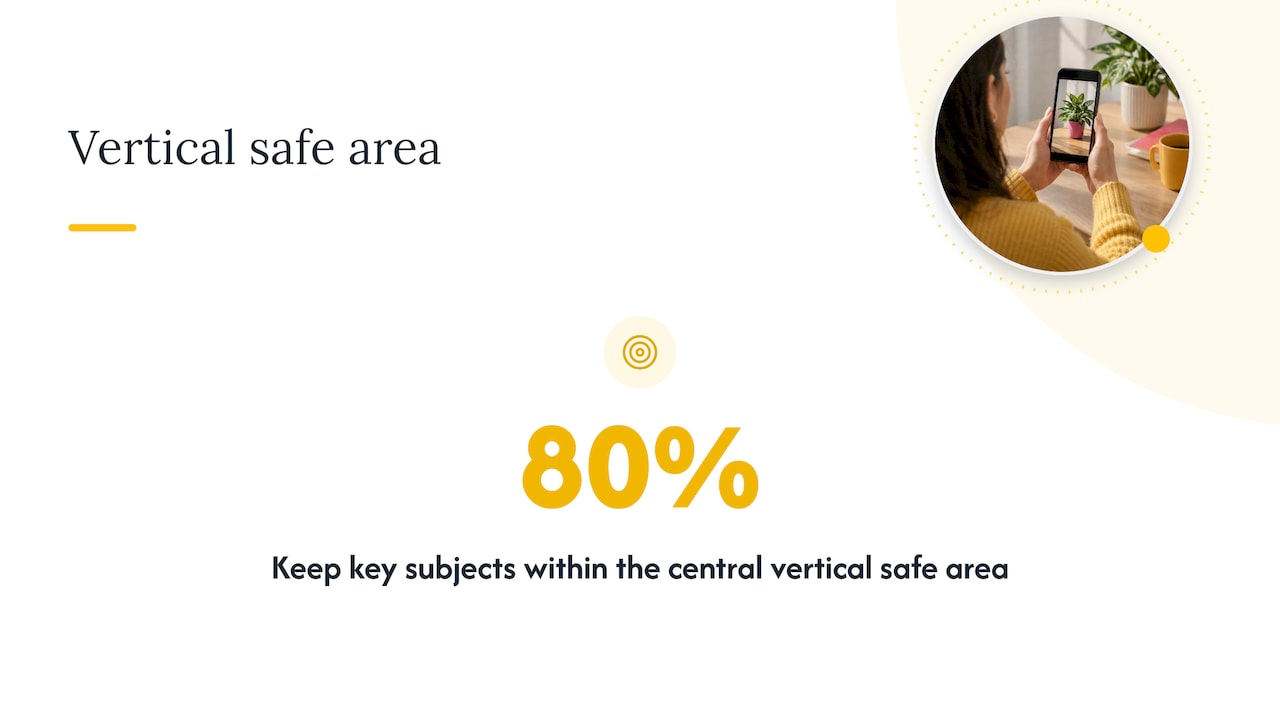
- Keep faces, text and logos inside the central 80% of vertical frames, so buttons and captions never cover them.
- Carousels take the shape of the first slide, so export every slide to the same size before you upload.
- Cover photos and banners crop differently on desktop and mobile. Treat the middle of the image as the only guaranteed area.
Table of Contents
- The quick reference table
- Instagram image sizes
- Facebook cover photo and post sizes
- LinkedIn photo dimensions
- YouTube thumbnail size
- Export habits that matter more than the numbers
- What looks good in 2026, beyond the pixel count
- Our perspective: size is decided before the shutter clicks
- When it is worth booking a photographer for social content
- Pre-upload checklist
- FAQ
- Sources
The quick reference table
Platforms change their layouts often, and different guides disagree by a few pixels. Treat these as working targets, and check the platform’s own help page if something looks off after upload.
| Platform and format | Recommended size | Ratio |
|---|---|---|
| Instagram feed post (portrait) | 1080 x 1350 px | 4:5 |
| Instagram feed post (square) | 1080 x 1080 px | 1:1 |
| Instagram Story or Reel cover | 1080 x 1920 px | 9:16 |
| Facebook cover photo | 820 x 360 px | roughly 2.3:1 |
| LinkedIn profile photo | 400 x 400 px minimum | 1:1 |
| LinkedIn profile banner | 1584 x 396 px | 4:1 |
| YouTube thumbnail | 1280 x 720 px | 16:9 |
The sections below explain each one, and why the number is what it is.
Instagram image sizes
Instagram is the platform people ask about most, and it is more flexible than its reputation suggests. According to Buffer’s summary of the accepted ranges, feed images can sit anywhere between landscape 1.91:1 and portrait 4:5. Anything outside that range gets cropped.
Feed posts: use 4:5
Of the allowed shapes, 4:5 at 1080 x 1350 px takes up the most vertical space on a phone screen. More of the screen is your image, and less is somebody else’s post. For a portrait, a product shot or a wedding detail, it is nearly always the right choice. Use square only when the composition is truly symmetrical, and landscape when the scene needs width: a venue, a stage, a team lined up.
Resolution: 1080 px wide is the target
Instagram’s own help page says it uploads photos at the best quality resolution possible, up to a set maximum width. In practice that width is 1080 px. Images between 320 and 1080 px wide keep their original resolution as long as the ratio is supported, so there is no benefit in going far beyond 1080 px.
Stories and Reels: 9:16
Full-screen vertical content is 1080 x 1920 px, a 9:16 ratio. Guides that list common ratios give 9:16 for Stories and vertical video alike. If you are weighing short video against still images for your brand, our comparison of Reels and TikTok for UK brands and events covers the format side.
The safe zone on vertical frames
On 9:16 content the top and bottom of the screen are covered by interface elements: the account name and the reply and share buttons. The designers at fecking creative advise keeping key subjects within the central 80% of vertical assets. When we shoot for Stories, we leave breathing room above heads and below the hands, so the crop works without anyone having to rescue it.
Facebook cover photo and post sizes
Facebook’s cover photo is the awkward one, because it displays differently on desktop and mobile. According to Postfast’s size guide, the cover shows at 820 x 312 px on desktop and 640 x 360 px on mobile. The same guide recommends uploading at 820 x 360 px so nothing important gets lost on either device.
In practice:
- Export at 820 x 360 px, or double that (1640 x 720 px) for sharper screens.
- Keep the subject in the middle, and away from the extreme top and bottom edges, which desktop trims.
- Check the bottom-left corner, where the profile picture sits on top of the cover.
- Keep text minimal. A short line of large type survives a crop, and a paragraph does not.
For posts in the feed, the same logic as Instagram applies: portrait and square images claim more room on a phone than wide ones. Other guides list a 1200 x 630 px landscape image for link-style posts, so use that for shared links and 4:5 or 1:1 for photography.
LinkedIn photo dimensions
LinkedIn matters if you sell anything to other businesses, and a poorly sized banner is one of the quickest ways to look careless there. One 2026 size guide lists a profile photo of at least 400 x 400 px and a background banner of 1584 x 396 px. Company Page covers use different dimensions from personal banners, and guides disagree on them, so check the current upload prompt on your Page before you design anything.
The profile photo displays in a circle. Frame it with the face centred and the top of the shoulders visible, and leave a little space round the head so the crop does not touch it. If you are updating your headshot as well as the file size, a purpose-led session works better than a cropped holiday snap. Our personal branding photography is built for founders and creatives who need a photo that does a job on LinkedIn.
YouTube thumbnail size
The standard is 1280 x 720 px at 16:9. A thumbnail guide from PixExtender gives a minimum width of 640 px, a 2 MB file limit and JPG, PNG or GIF as accepted formats. Thumbnails are viewed very small, often on a phone, so large faces, high contrast and a few words of big text do far more than a detailed scene.
If you shoot video for YouTube and short-form feeds, it is worth planning both orientations at the start. We explain how in getting vertical and horizontal video from one shoot.
Export habits that matter more than the numbers
The table gets you to the right size. These habits decide whether the result looks good.
Do not upload a file far larger than the platform needs
It feels safer to upload the biggest file you have. It is not. Instagram and Facebook compress images that exceed their optimal width, and an oversized 4K upload can look worse than a file exported at the correct size, because a controlled export from Lightroom or Photoshop is more precise than the platform’s automatic downsizing. Export at the target width, in sRGB, and let the platform do as little as possible.
Standardise carousels before uploading
On Instagram and LinkedIn, every slide in a carousel is forced to match the first. Mixing vertical and square images crops them unevenly, and you cannot fix that after publishing. Pick one size, usually 1080 x 1350 px, and export all slides to it.
Design for the thumb
Most social traffic is on mobile, so text that needs zooming is wasted. The same fecking creative guide recommends large, readable type and high-contrast visuals that work within the first three seconds of a scroll. Before you post, view the image at thumbnail size on your own phone. If you cannot read it at arm’s length, resize it or cut the words.
Keep one file per format
Do not crop a 4:5 post into a 9:16 Story by zooming in. Plan the shot so the subject has room on all sides, then export separately for each format. This is a camera decision made on the day, not an editing fix afterwards.
What looks good in 2026, beyond the pixel count
Correct dimensions are the baseline. What makes a feed work has changed over the last couple of years.
Consistency beats the single hero image
Sprout Social’s UK trends report says brands are moving to series templates, and that a consistent colour palette, font and framing across a weekly series helps a brand stand out more than one perfect shot. That has a practical consequence for sizing: choose one format for each recurring series and keep to it. For ideas on keeping a style steady across a content run, this piece on visual storytelling for brand impact is a useful read.
Authentic over over-polished
Sprout Social’s UK Instagram report observes that raw and unpolished content often outperforms high-production posts. SME Today’s write-up of iStock research adds that audiences are wary of hyper-perfect, AI-looking imagery, and that candid, imperfect images build trust.
That does not mean sloppy. A sharp, well-lit, correctly sized image of a real person doing something real is exactly what these findings point to. It means the pose-heavy stock look is a weaker bet than it used to be.
Short video sits next to your stills
The same Sprout Social data points to short-form video under 60 seconds as the leading format on the main platforms. Stills still earn their place, but they now sit beside video in the same feed, so a shoot that delivers both vertical stills and clips saves you from commissioning twice. Our guide to brand story videos and a production checklist shows how to plan for that.
Our perspective: size is decided before the shutter clicks
Most people treat sizing as a problem for the person uploading. We see it differently, and here is why.
When a client books us, the first thing we ask is what the photos are for. A LinkedIn banner, a Reel cover, a wedding announcement and a conference recap all need different shapes, and if we know that on the day, we compose for it. A banner needs empty space on one side for text. A Story needs the subject clear of the top and bottom. A thumbnail needs a face you can read at the size of a stamp.
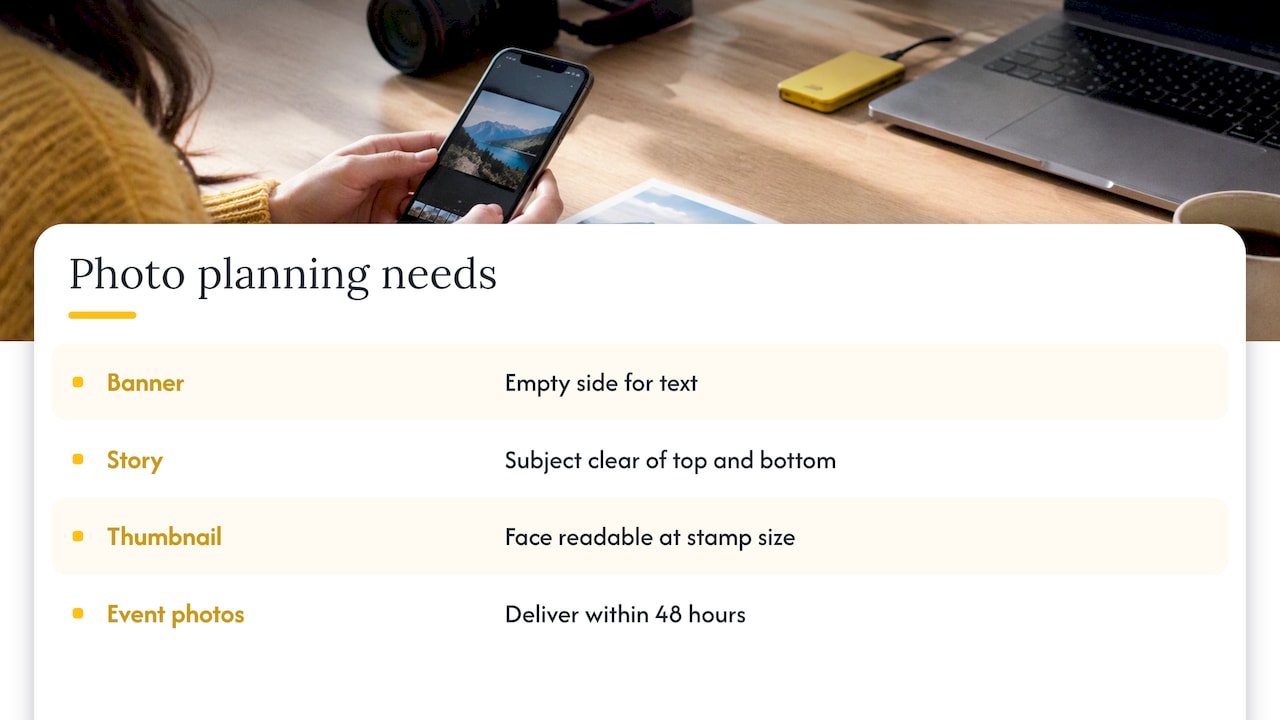
That is why our approach starts with purpose and not aesthetics. Beautiful but wrongly framed images end up cropped to nothing, and the crop is what the audience actually sees. Delivery speed matters for the same reason: a social photo from an event is worth the most the same evening or the next morning, which is why we deliver event images within 48 hours.
Our advice is to write the list of places the images will appear before the shoot, and give it to your photographer. It costs five minutes and saves a reshoot.
— Emmet
When it is worth booking a photographer for social content
Templates and phone snaps cover a lot. They fall short in a few cases:
- Your face is the brand. Founders, consultants and creatives need a profile photo and a bank of consistent images. Our portrait sessions start with The Solo at 200 GBP, The Brand at 500 GBP, and The Team from 795 GBP, all on our portrait services page.
- You run events. Organisers need fast, usable social images. Our London event photography ranges from 400 to 900 GBP, with a 48-hour turnaround; see London event photography. For corporate days, we offer a half-day from 350 GBP, a day rate from 650 GBP and a two-day conference from 1100 GBP on our corporate events page.
- You need video and stills together. We can shoot both in one session; details are on our videography page.
If you would like images composed for your actual channels, get in touch with LemonLens and tell us where the pictures will live. We will build the shoot around that.
Pre-upload checklist
- Decide the format: 4:5, 1:1, 9:16 or 16:9.
- Export at the target width, usually 1080 px, in sRGB.
- Check that nothing important sits in the outer 10% at the top and bottom of vertical frames.
- For carousels, confirm every slide is the same size as slide one.
- View the result on a phone at normal distance.
- For banners and covers, check both desktop and mobile previews before publishing.
FAQ
What is the best Instagram image size in 2026?
Use 1080 x 1350 px (4:5) for most feed posts. Instagram accepts ratios from 1.91:1 landscape to 4:5 portrait, and 4:5 takes up the most screen space. Use 1080 x 1920 px for Stories and Reels.
What size should a Facebook cover photo be?
Upload at 820 x 360 px. Facebook shows it at 820 x 312 px on desktop and 640 x 360 px on mobile, so keep the important content in the middle. Expect the profile picture to overlap the bottom-left corner.
What are the right LinkedIn photo dimensions?
A profile photo should be at least 400 x 400 px, and a personal banner is 1584 x 396 px. Company Page covers use different sizes that guides disagree on, so check the upload prompt on your Page. Keep your face centred, because the photo is shown in a circle.
What size is a YouTube thumbnail?
1280 x 720 px at 16:9, with a minimum width of 640 px and a file under 2 MB. Use JPG, PNG or GIF. Keep text large and short, because thumbnails are often seen very small.
Why do my photos look blurry after posting?
The usual cause is a file much bigger than the platform’s target width, which then gets compressed automatically. Export at the right width yourself, such as 1080 px for Instagram, and avoid uploading the same image repeatedly through different apps.
Sources
- Buffer: Instagram’s accepted aspect ratio ranges
- Instagram Help Centre: image resolution
- Heyorca: social media image sizes
- fecking creative: social media images
- Postfast: Facebook cover photo size
- LinkedIn Pulse: LinkedIn image size guide 2026
- PixExtender: YouTube thumbnail size
- Sprout Social: 2026 UK social media trends
- Sprout Social: UK Instagram trends 2026
- SME Today: iStock visual marketing trends for 2026