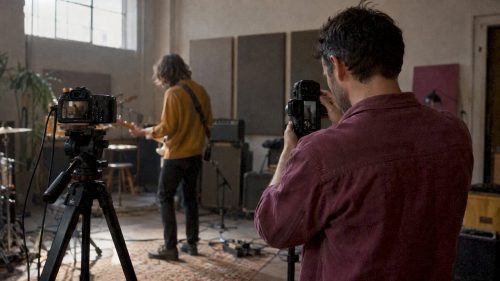
Choose vertical for short-form, mobile-first discovery content: Reels, TikTok and Shorts. Choose horizontal for long-form storytelling, brand films and anything likely to be watched on a television. When budget and time allow, shoot once and deliver both, because platform behaviour and screen habits are different enough that one orientation rarely covers every placement well.
TL;DR:
- Keep a 16:9 master for YouTube, websites, and television; vertical or square uploads up to three minutes are classified as Shorts.
- Frame vertical footage with the subject centered, clear space for captions and platform controls, and a hook in the first two to three seconds.
- Record wide with extra headroom and mark vertical safe areas before filming, so editors can reframe one shoot instead of rescuing a finished crop.
- Paid campaigns should include horizontal, vertical, and square assets; Google recommends at least three videos per group, including one vertical.
Table of Contents
- Vertical vs horizontal at a glance
- When to choose vertical: use cases, specs and examples
- When to choose horizontal: use cases, specs and examples
- Repurposing workflow: shoot once, output both orientations
- Production checklist and creative best practice
- Distribution and monetisation notes
- A practitioner’s view on orientation choices
- Get both orientations from one booking
- FAQ
- Sources
Vertical vs horizontal at a glance
Orientation choice follows the platform and the screen the viewer is holding or sitting in front of. Mobile apps built for scrolling favour vertical because it fills the screen without the viewer rotating their phone; platforms built around sitting back and watching favour horizontal.
- TikTok, Instagram Reels and YouTube Shorts: vertical, full-screen, designed for one-handed scrolling.
- YouTube’s main watch page and most websites: horizontal, built for a wider viewport and longer attention spans.
- Television: horizontal only, and still the dominant screen for in-home video.
- Paid social ads: both, ideally delivered as separate assets rather than one stretched version.
The living-room screen matters more than many marketers assume. In 2024, 84% of in-home video viewing in the UK happened through a TV set, and YouTube viewing on TV sets rose from 34% to 41% between 2023 and 2024, according to Ofcom’s Media Nations report. That is a strong argument for keeping a proper horizontal master even for content you expect to go viral on mobile first.
When to choose vertical: use cases, specs and examples
Vertical suits anything built for discovery rather than deliberate search: a scroll-stopping clip, a Story, a short ad variant designed to appear between other short clips. The format works because it matches how the phone is held and how attention moves on these apps.
- Social ads and discovery feeds: 9:16 at 10 to 30 seconds, matching Instagram Reels and TikTok defaults.
- Stories and ephemeral content: 9:16, full-screen, usually under 15 seconds per card.
- Short product or event teasers: 4:5 or 9:16 depending on placement, optimised for a thumb that is about to keep scrolling.
- Behind-the-scenes and founder-led clips: 9:16, shot handheld, leaning on authenticity over polish.
Framing needs to be tighter than for horizontal work: keep the subject centred, leave room for captions near the bottom third, and avoid wide establishing shots that lose detail on a small screen. Text needs to be large enough to read at arm’s length, and the first two to three seconds need to earn the next second of attention, a principle Google’s creative guidance places at the centre of performance marketing creative.
Pro Tip: Shoot vertical clips with safe margins top and bottom so a platform’s own UI overlays (captions, usernames, like buttons) never cover your key visual.
When to choose horizontal: use cases, specs and examples
Horizontal remains the right call whenever the content is meant to be watched rather than scrolled past: long-form YouTube videos, brand films, event highlight reels and anything destined for a television or a website hero section. Pacing can be slower, because the viewer has already chosen to settle in.
- Long-form YouTube and documentary-style brand films: 16:9, ideally captured and delivered in 4K to hold up on larger screens.
- Event highlight videos and conference recaps: 16:9, often multi-camera, giving space to show the room, the audience, and the speaker together.
- Website hero videos and embedded case studies: 16:9, optimised for autoplay without sound.
- Wedding films and corporate testimonials: 16:9, where wider framing lets two or more subjects share the shot naturally.
Composition can do more work in horizontal: multiple subjects, environmental context, and wider establishing shots that set a scene before cutting closer. Pacing should match the platform; a five-minute brand film can afford a slower build than a 20-second ad ever could.
Pro Tip: Keep a 16:9 master even for content you plan to post as Shorts first, since YouTube treats vertical or square uploads under three minutes as Shorts regardless of your original intent, as confirmed by YouTube’s own classification guidance.
Repurposing workflow: shoot once, output both orientations
The most efficient route is planning for both orientations before you ever press record, rather than trying to crop a finished edit after the fact.
- Storyboard with both crops in mind: mark safe areas for vertical and horizontal on your shot list so every setup already accounts for both.
- Shoot wide, with headroom: a wider horizontal master gives you room to punch in and reframe for vertical without losing the subject.
- Capture extra takes for key hooks: the first few seconds of a clip often need a tighter, more direct version for vertical than the horizontal cut uses.
- Edit caption-first for vertical: build the vertical cut around captions and pacing, then adapt the horizontal edit from the same footage rather than the reverse.
On a single-camera shoot, record the wider horizontal master with extra headroom and use markers on the monitor to confirm the critical action still sits inside the vertical safe area, so reframing in post is a crop rather than a rescue job.
A practical deliverable checklist for one shoot might include:
- One 16:9 master edit for YouTube, the website and any TV placement.
- One or two 9:16 cuts for Reels, TikTok and Stories, built around a stronger opening hook.
- A 4:5 variant for feed placements where squarish crops perform better.
- Caption files exported separately so text timing can be adjusted per orientation.
For event work specifically, our guide on shipping event highlight videos faster walks through turning one shoot into both a horizontal recap and short vertical teasers without duplicating the filming.
Production checklist and creative best practice
A few technical habits separate footage that repurposes cleanly from footage that fights you in the edit.
- Stabilise everything: a gimbal or tripod matters more for vertical, where small movements are magnified on a full-screen crop.
- Record clean audio separately: a dedicated mic track gives you flexibility to recut without losing dialogue quality.
- Caption every cut: captions are expected on mobile and improve accessibility everywhere else.
- Respect safe areas for text and logos: keep graphics away from the edges where platform UI or TV overscan might clip them.
- Front-load the hook: the opening two to three seconds decide whether a vertical clip gets watched at all, per Google’s performance creative guidance.
Viewability also depends on placement, not just orientation. Google’s research on video ad impressions finds that central, above-the-fold placements with larger players correlate with higher viewability, a reminder that orientation decisions should account for where the video will actually sit on the page.
Distribution and monetisation notes
Platform rules change how your orientation choices play out once content is live, and a few of them carry real consequences for reach and revenue.
- YouTube Shorts classification: vertical or square uploads of up to three minutes are treated as Shorts, so a 16:9 master protects long-form placement and monetisation, per YouTube’s Shorts guidance.
- Performance Max and paid ad asset groups: advertisers that included multiple orientation assets, including vertical alongside horizontal and square, generally saw more conversions on YouTube than horizontal-only groups, according to Google’s creative playbook for Performance Max.
- Minimum asset recommendation: the same playbook recommends at least three video assets per group, including one vertical, to give the ad platform enough inventory flexibility.
- Practical takeaway: a campaign that supplies horizontal, vertical and square assets from a single shoot tends to outperform one that forces a single crop across every placement.
A practitioner’s view on orientation choices
On most of our shoots, the question of orientation gets settled before the camera comes out. A brand film for a website hero needs a 16:9 master; the same session usually produces two or three vertical cuts built around the strongest ten seconds, because the client will want both for the same budget.
Treating both orientations as standard deliverables, rather than an afterthought, is what keeps footage useful across a website, a YouTube channel and a Reels feed without a second shoot.
— Emmet
Get both orientations from one booking
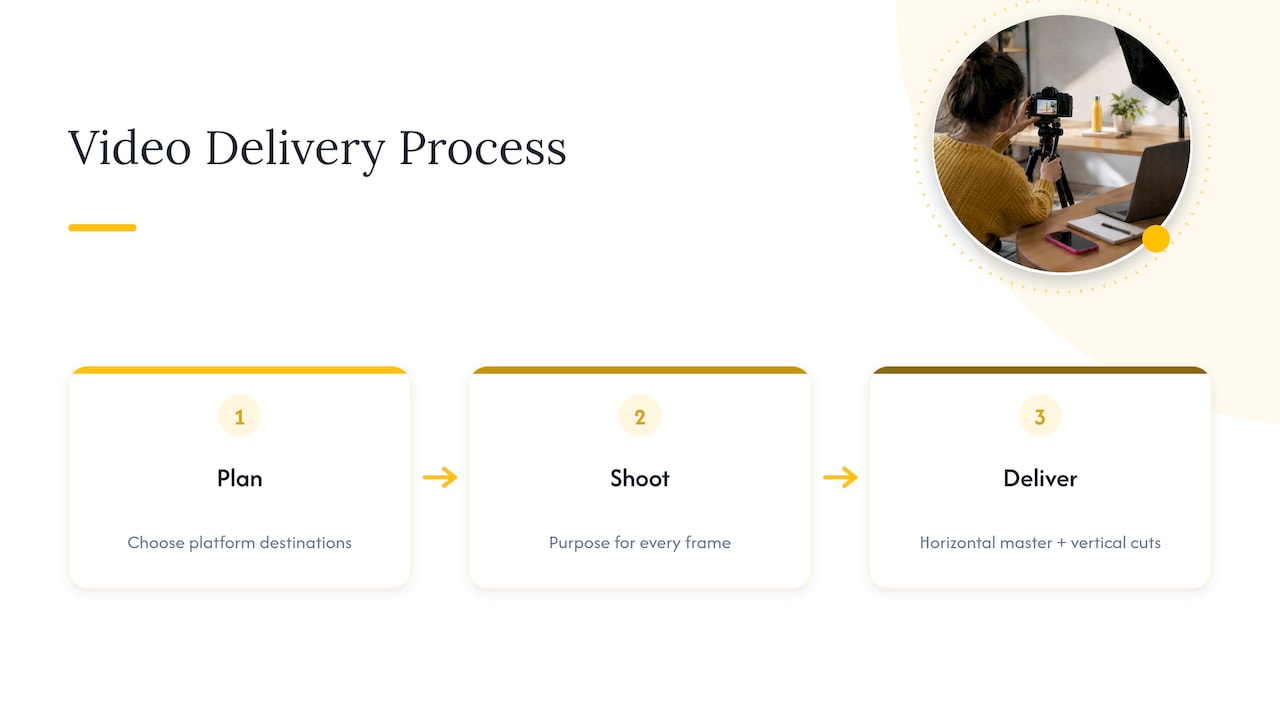
We plan every shoot around where the footage will actually live, so a brand film booked through our videography service or event videography package comes back with a horizontal master and vertical cuts ready for Reels, Shorts and ads, not a single crop stretched across every platform. Our process runs from a short planning call to delivery with a purpose for every frame, and rapid turnaround means your assets are still relevant when they land. Get in touch through our videography page to talk through what your next shoot needs to deliver.
FAQ
Is horizontal or vertical better for video?
Neither format is universally better: the right choice depends on where the video will be watched. Vertical performs best on mobile-first discovery platforms like TikTok, Reels and Stories, while horizontal remains essential for YouTube, brand films and television, where 84% of in-home viewing in the UK still happens.
Why do people like vertical videos?
Vertical video fills the phone screen without requiring the viewer to rotate it, which suits the one-handed scrolling behaviour built into TikTok, Reels and Stories. It also lets captions and on-screen text sit naturally in the frame without competing with a wide landscape shot.
Should iPhone video be horizontal or vertical?
Record horizontal when the footage might end up on YouTube, a website or a screen larger than a phone, since a 16:9 master gives you the most flexibility later. Switch to vertical capture only for content planned specifically for Stories, Reels or Shorts, or shoot a wider horizontal take with extra headroom so you can reframe to vertical afterwards.
Is a YouTube video horizontal or vertical?
YouTube’s main watch page is built for horizontal 16:9 video, which is the right choice for long-form uploads. Uploading a vertical or square video of three minutes or less gets it classified as a Short rather than standard long-form content, as set out in YouTube’s own Shorts guidance.
Sources
- Media Nations 2025 – UK report
- Google UKI — Creative in Performance Max playbook
- Understand three-minute YouTube Shorts – YouTube Help