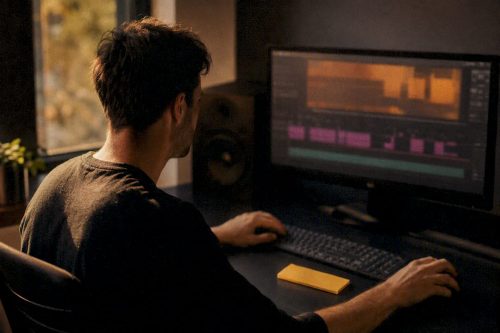
An event highlight video is a short, story-led edit built from the best moments of an event, designed to hit a single goal, whether that is promoting next year’s ticket sales, giving sponsors a usable deliverable or supporting recruitment and PR. A good one is delivered in platform-ready formats with captions attached and rights already checked, not bolted-on afterwards.
TL;DR:
- Highlight videos are most effective when they target a specific audience with a clear call to action, such as driving ticket sales or showcasing sponsorships.
- Pre-shoot planning should include defining the audience, identifying key moments to capture, and labeling footage by scene and time to streamline editing.
- On-site filming must prioritize steady camera work, proper audio setup, and timestamp noting to ensure efficient editing and story coherence.
- Editing should focus on a narrative arc, trimming for pace, blending reaction shots, and adding captions to enhance accessibility and engagement across platforms.
- Securing performer consent and understanding licensing obligations are essential to avoid legal issues when publishing event footage.
Table of Contents
- When to use an event highlight video and what success looks like
- Plan: audience, call to action and running order
- Filming and audio: on-site techniques that save editing time
- Editing workflow: build a string-out, set pace and add captions
- Rights, permissions and legal checks before publishing
- Export and delivery: aspect ratios, masters and caption files
- Templates and tool categories that speed production
- LemonLens workflow and sample outcomes
- Getting the balance right between sponsors and story
- Book LemonLens for your next event highlight video
- Sources
- FAQ
When to use an event highlight video and what success looks like
Not every event needs one, but a highlight video earns its cost when there is a clear next audience to reach. Common use cases include:
- Aftermovies for festivals or conferences, built to sell next year’s tickets.
- Sponsor reels that give partners a branded asset for their own channels.
- Recruitment or PR clips showing culture and scale to prospective hires or press.
- Social promos cut short and vertical, designed to stop a scroll.
Success looks different depending on the goal. A ticket-driving aftermovie is judged on views and click-throughs to a booking page, a sponsor reel on whether the partner actually reuses it, and a recruitment clip on applications or shares. Deciding the metric before filming shapes everything from shot list to final cut length.
Plan: audience, call to action and running order
A highlight video without a defined audience tends to please everyone and convert nobody. Before the event, settle two things: who will watch this, and what should they do after watching. A sponsor reel and a public aftermovie rarely share the same running order.
A workable pre-shoot checklist:
- Write the single call to action in one sentence, for example “book next year’s early bird tickets”.
- List the moments that must appear: opening, keynote or headline act, audience reaction, sponsor branding, closing.
- Build a shot list covering wide establishing shots, mid shots of speakers or performers, tight detail shots, audience reactions, general B-roll and any interview soundbites.
- Assign a backup and labelling system before the first card fills up, so files are named by scene and time rather than left as generic camera numbers.
Pro Tip: Label every card and folder with the event date and shot type as you go: it saves hours during the edit when footage from three cameras needs matching up.
Filming and audio: on-site techniques that save editing time
Footage that is hard to cut usually started as footage that was hard to film. A shot list only helps if the camera operator also protects sound and light on the day.
- Mix wide context shots with tight reactions, and keep camera movement steady rather than constantly panning.
- Capture continuity cutaways (signage, programme, tickets) so editors have connective material between scenes.
- Use a lavalier or shotgun microphone as the primary audio source, with camera audio and a phone recording kept as backup.
- Check lighting changes between rooms or as the day moves from daylight to stage lighting, and white balance accordingly.
- Note timestamps of standout moments during filming so the editor does not have to scrub through hours of footage cold.
Editing workflow: build a string-out, set pace and add captions
Editing a highlight video works best as a sequence of decisions rather than one long sitting. Adobe’s own guidance on production stages lays out planning, capture, editing, sound mixing and export as separate phases, and that separation holds up in practice for event highlight production.
- Start with a rough string-out: drop every usable clip onto the timeline in roughly chronological order.
- Trim for pace next, cutting dead air and repeated shots until only the strongest material remains.
- Weave in B-roll and reaction shots between main clips to keep the story moving rather than feeling like a highlights reel of speeches.
- Apply consistent title templates and lower-thirds so sponsor names and speaker credits look uniform throughout.
- Add captions before export, both for accessibility and because most social platforms autoplay muted.
Pro Tip: Cut your first pass twenty per cent longer than you think it needs to be, then remove whatever makes you check the time while watching it back.
Story-driven editing advice from outside the video world backs this up too: shaping raw footage around a clear narrative arc, rather than a chronological dump, is what separates a visual storytelling piece from a highlight reel nobody rewatches.
Rights, permissions and legal checks before publishing
Filming an event is not the same as having the right to publish it, and this is where most disputes start. Performers’ rights can restrict recording, distribution and making a performance available online, and appropriate permissions are often required depending on the event and how the footage will be used, according to Gov.
- Get written consent from performers before recording, not after the edit is finished.
- Recording or broadcasting a substantial part of a qualifying live performance without consent can infringe rights under section 182 of the Copyright, Designs and Patents Act 1988.
- Showing audiovisual content in public can trigger licensing obligations beyond the recording itself. Changes to section 72 of the Act mean organisers should check whether TheMusicLicence or a collective audiovisual licence applies before public or commercial showings.
- Choose cleared or licensed music rather than a streaming playlist, since synchronisation rights for recorded music are separate from any performance licence.
- Keep a simple consent log noting who agreed to appear and where footage will be published, since photographs and video of identifiable people can count as personal data under GDPR.
Events involving live music or drama, such as a music school performance, tend to need both performer consent and a synchronisation licence sorted well ahead of filming.
Export and delivery: aspect ratios, masters and caption files
A highlight video is only useful once it reaches the right screen in the right shape. A single 4K master rarely suits every platform, so plan for a small export set rather than one universal file.
| Deliverable | Aspect ratio | Typical use |
|---|---|---|
| Master file | 16:9 | Archive, website embed, big screen playback |
| Social vertical | 9:16 | Instagram Reels, TikTok, Stories |
| Web proxy | 16:9 or 9:16, platform-ready format | Fast-loading site or email embed |
| Caption file | SRT, matched to each export | Accessibility and muted autoplay |
Adobe documents workflows built around multiple aspect ratios and auto-reframing tools precisely because a single export no longer covers modern distribution. Label every file with the event name, date and version, and send a short delivery note telling the client which file is which, since a clean master without labelling causes almost as much confusion as no master at all.
Templates and tool categories that speed production
Building every highlight video from scratch wastes time that a template can save. Editable NLE templates with layered titles and vertical-cut presets let an editor drop in new footage without rebuilding the structure each time.
- Mobile editing apps suit fast social cuts made on-site or the same evening.
- Desktop NLEs handle richer edits and typically include auto-reframe tools for turning a 16:9 cut into 9:16 without a full reshoot, a feature Adobe’s Premiere Pro documentation covers in detail.
- When choosing a template, check for editable text layers, flexible duration and built-in aspect-ratio presets rather than a fixed length.
LemonLens workflow and sample outcomes
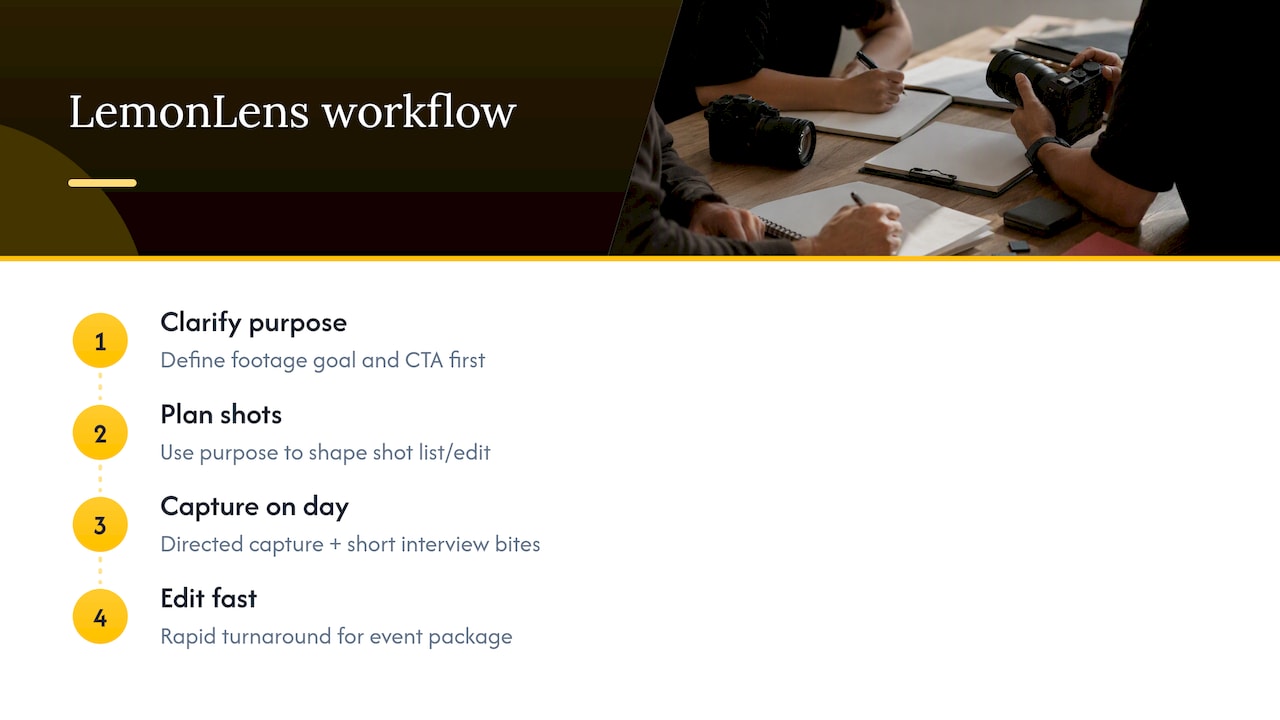
Every professional brief starts by clarifying the purpose of the footage and the call to action before a camera is booked, which shapes the shot list and the eventual edit rather than being decided afterwards. Typical event packages include directed capture with rapid turnaround and short interview soundbites gathered on the day to give the edit emotional weight beyond wide shots of a stage.
That approach has covered a range of briefs, from an LGBTQ event video built around atmosphere and reaction shots, to corporate recap footage for a Canary Wharf audience, to a Brighton-based storytelling short that leaned on interviews over performance footage.
Getting the balance right between sponsors and story
Most highlight videos perform best on social when they run about a minute to a minute and a half, because attention drops fast once a scroll resumes. The recurring tension is sponsor clips versus audience storytelling: sponsors want their branding visible, audiences want a story, and cramming both into ninety seconds means something gets cut. When time is short, I prioritise the single deliverable the brief actually needs rather than trying to please every stakeholder in one file.
— Emmet
Book LemonLens for your next event highlight video
Producing a highlight video in-house takes planning, filming discipline and editing hours that most marketing or events teams cannot always spare. A specialized videographer can handle the whole process directly, from clarifying the call to action at the brief stage through to a rapid turnaround once filming wraps, so the footage is still relevant when it lands.
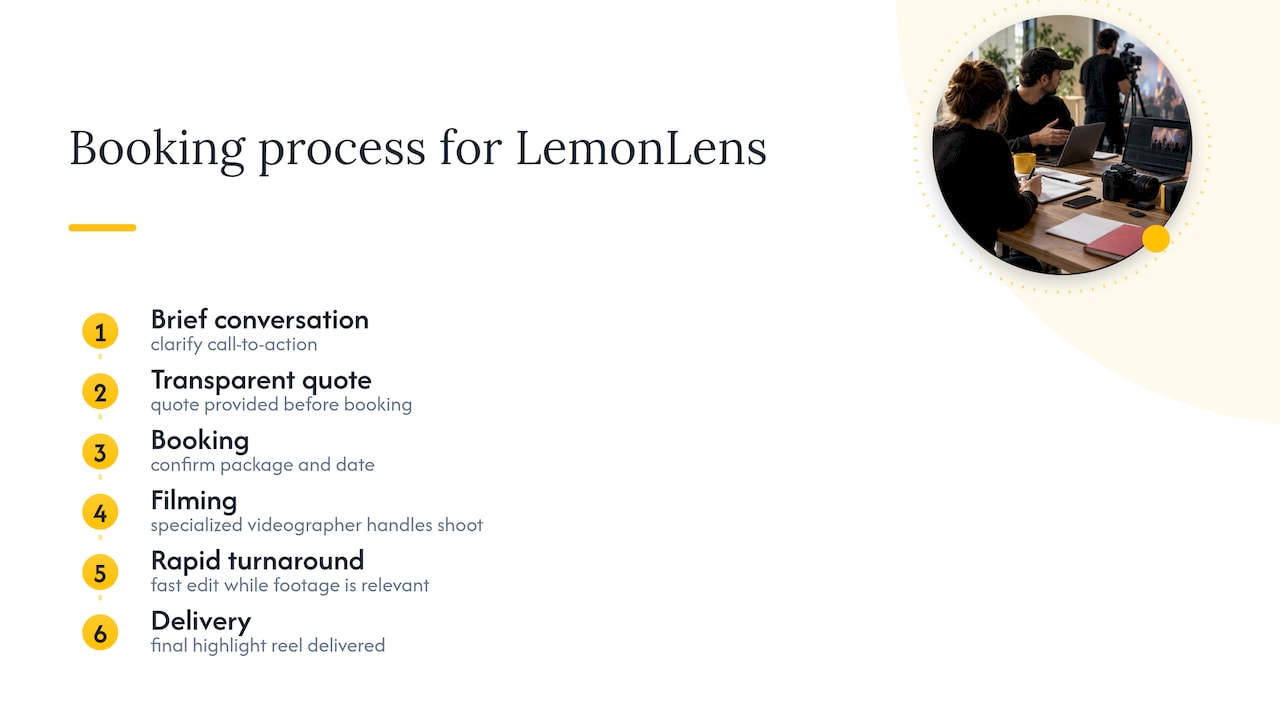
Packages for event coverage sit alongside corporate day rate and conference options, and enquiries typically move from a short brief conversation to a transparent quote before booking. For video specifically, the event videography page outlines what to expect from enquiry to delivery, and it is the right place to start if you want a highlight reel handled end to end rather than pieced together in-house.
Sources
- Introducing new AI-powered features and workflow enhancements for Premiere Pro & After Effects (Adobe blog)
- Gov
- Copyright, Designs and Patents Act 1988, section 182
FAQ
What is a highlight video?
A highlight video is a short, edited compilation of the best moments from an event or occasion, built around a single story or purpose rather than a full chronological record. It usually runs from under a minute to a few minutes and is cut for a specific audience and call to action.
What do you call a video after an event?
It is commonly called an event recap or event highlight video, and for larger multi-day events such as festivals it is often referred to as an aftermovie. All three describe the same format: a short, edited summary released after the event ends.
How can I create a highlight video?
Start by defining your audience and call to action, then build a shot list covering wide, mid, detail and reaction shots before filming. Edit by creating a rough string-out, trimming for pace, adding captions, and exporting both a 16:9 master and a 9:16 vertical cut for social platforms, checking performers’ rights guidance before publishing anyone identifiable.
How do I make a good highlight video?
A good highlight video sticks to one clear goal, uses reaction shots and short soundbites rather than relying only on wide performance footage, and stays tight, with most social edits performing best around 60 to 90 seconds. Clean audio, consistent titles and accessible captions matter as much as the footage itself.
Do I need permission to film people at an event?
Yes, in many cases: performers’ rights can restrict recording and online publication depending on the event and how the footage will be used, so consent should be gathered before filming rather than after editing. Photographs and video of identifiable people can also count as personal data, so keeping a simple consent record protects both the organiser and the production team.