
A photoshoot mood board is a concise visual brief that aligns the creative team and turns loose ideas into a practical shot list. The fastest way to start is to assemble several labelled reference images covering lighting, colour and pose, then mark a few of them as must-haves before you share the board with anyone else.
TL;DR:
- A concise reference set should follow a 20/60/20 ratio to maintain focus, avoiding overload with similar or irrelevant images.
- Annotating each reference with technical notes and clear labels ensures the mood board communicates intent effectively and prevents misinterpretation.
- Using collaborative tools like Milanote or VSCO Canvas facilitates client input, comments, and fast sign-offs, especially when exporting shareable PDFs or links.
- Final reviews should occur 24 hours beforehand to allow for last-minute adjustments without disrupting the shoot schedule.
- Including only images that directly relate to lighting, color, pose, or location helps keep the mood board actionable and free of unnecessary noise.
Table of Contents
- What is a photography mood board and which format should you use?
- Why use a mood board: alignment, speed and fewer revisions
- Step-by-step workflow for building a photoshoot mood board
- Picking a tool: Milanote, VSCO Canvas, Adobe Express, VanSky Studio and Canva
- What to include on a photoshoot mood board
- Practical tips for quality-checking a mood board
- How we use mood boards to speed up delivery
- What I have learned watching clients approve boards
- Let a mood board lead your next shoot with us
- FAQ
- Sources
What is a photography mood board and which format should you use?
A photography mood board is a curated set of reference images, colour swatches and notes that shows everyone involved what a shoot should look and feel like before a single frame is taken. It can live as a digital canvas, a shareable PDF, a slide deck or a printed board pinned up on set.
Digital boards win on collaboration: clients and stylists can comment, swap images and approve changes from anywhere. Printed boards still earn their place on location, where a phone screen is awkward to pass around in direct sunlight. Whoever commissions the shoot, the photographer and any stylist or art director should all have input before the board is finalised.
Why use a mood board: alignment, speed and fewer revisions
A mood board works as a navigation tool for the entire shoot schedule, keeping stylists, photographers and clients reading from the same page rather than reconciling different mental images on the day, according to CuCo Creative. That alignment shows up most clearly in brief clarity: when everyone has agreed on tone, palette and framing in advance, fewer questions need answering mid-shoot.
The bigger payoff is what it prevents. Without a shared reference, a shoot can drift from the original concept shot by shot, and drift is what forces reshoots or extra editing rounds. A mood board that captures lighting, colour and pose decisions upfront gives the team something concrete to check against as the day unfolds.

Step-by-step workflow for building a photoshoot mood board
Treat the board as an input into production documents, not a finished product in itself. CuCo Creative recommends using it to coordinate stylists and photographers rather than letting it sit as a static inspiration collage.
- Define the brief: agree the purpose of the shoot, the audience, final deliverables and the quality threshold before collecting a single image.
- Gather references: pull examples covering lighting, poses, colour palette, props and locations from past work, client assets or inspiration sites.
- Curate with a balance rule: apply a simple split, such as 20% accent references, 60% principal images and 20% supporting context, following the approach in Milanote’s photography template, and cut anything that contradicts the main direction.
- Annotate each image: add short technical notes and tag items as must-have or optional so nobody mistakes a mood reference for a literal shot request.
- Convert to a shot list and call sheet: translate the final board into concrete shots, locations and timings the crew can work from on the day.
- Schedule a pre-shoot review: send the board for client and stylist sign-off 24 hours before the shoot so last-minute changes do not land on set.
Skipping the annotation step is where most boards lose their usefulness. An unlabelled reference image is open to interpretation, and interpretation is exactly what a mood board exists to remove.
Picking a tool: Milanote, VSCO Canvas, Adobe Express, VanSky Studio and Canva
Tool choice comes down to who needs to collaborate and what you need to export at the end.
- Milanote suits collaborative pre-production, offering a dedicated photography moodboard template with placeholders for images, swatches and notes.
- VSCO Canvas is built specifically for photographers, with image import, AI generation, templates and comment and sharing controls that work across mobile and desktop.
- Adobe Express and Canva are the fastest route to a polished, exportable PDF when you just need a clean board to send a client quickly.
- VanSky Studio is a photography-focused builder that frames the board as a decision tool, letting you tag images by lighting, pose and framing.
- Pinterest remains the go-to source for raw inspiration before you narrow references down in one of the tools above.
Whichever tool you choose, check it supports a public link or PDF export and some form of commenting, since that is what makes client sign-off fast rather than a back-and-forth of email screenshots.
What to include on a photoshoot mood board
A useful board covers every decision the crew would otherwise have to guess at on the day.
- Reference images for framing, pose and overall mood, drawn from past shoots or curated inspiration.
- Colour palette and swatches that match brand guidelines or the intended visual tone.
- Lighting references and technical notes, including time of day, modifiers and lens choices.
- Wardrobe, props and location references, plus any logistical notes about access or timing.
- Shot priorities, clearly labelled must-have or optional, alongside final deliverable specs such as aspect ratio and file format.
Leave off anything that does not serve one of these categories. A beautiful image with no bearing on lighting, colour or composition just adds noise the crew has to filter out.
Practical tips for quality-checking a mood board
The 20/60/20 split from Milanote’s template guidance works as a quick sense-check: if your supporting references outweigh your principal images, the board has lost focus. Tag each reference with the reason it is there, lens, light or prop, since a board is only as actionable as its weakest label, a point VanSky Studio’s moodboard builder makes directly.
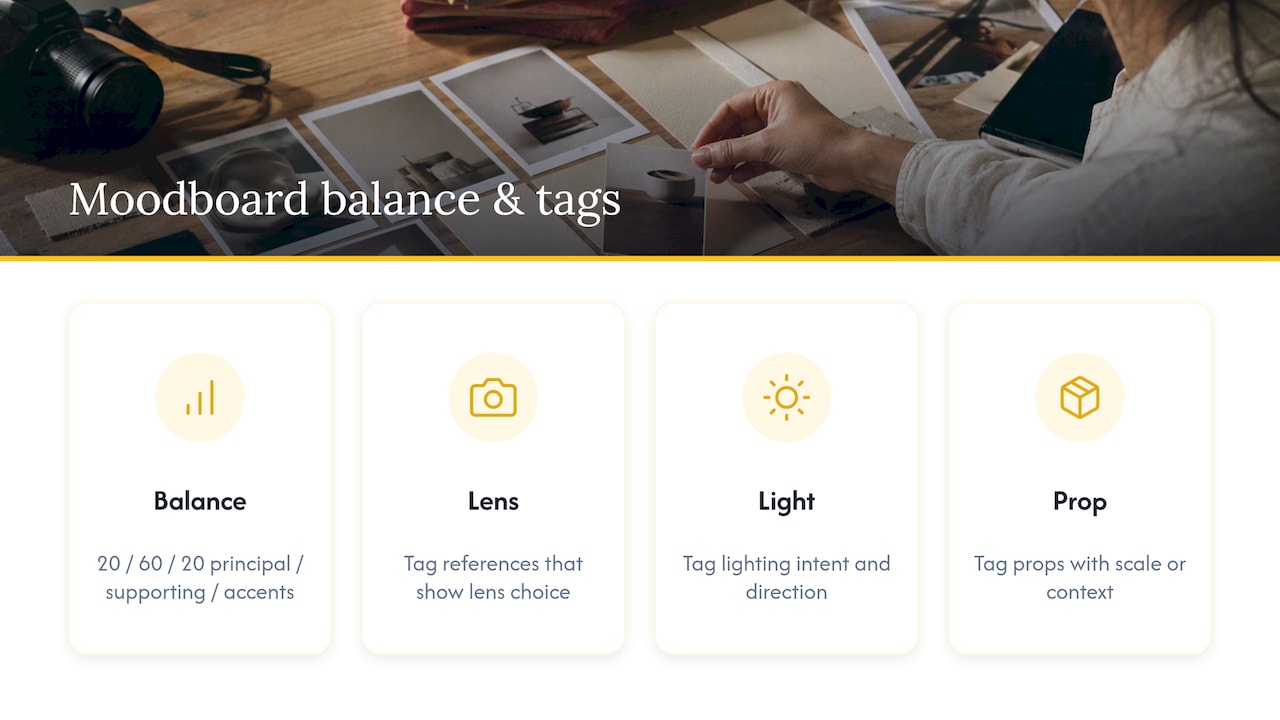
The most common mistakes are overstuffing the board with too many similar images, including references with no connection to the brief, and leaving out scale or context so a prop or location photo is misread on the day.
Pro Tip: Run the final review with your client or stylist 24 hours before the shoot, exactly as VanSky Studio advises, so there is still time to swap a reference without derailing the schedule.
How we use mood boards to speed up delivery
Every booking starts with a conversation about purpose: what the images need to achieve, not just how they should look. From there, we map visual references directly to deliverables rather than leaving them as loose inspiration.
On a recent brand shoot, a short board covering lighting, palette and three must-have compositions let us agree the shot list with the client before arriving on location. That upfront clarity meant fewer options to sift through afterwards and a shorter turnaround from shoot to delivery, which matters most when images need to go live while they are still relevant.
What I have learned watching clients approve boards
The worst briefs I have seen were not vague, they were over-specified: a client who pinned forty near-identical references and expected the photographer to divine which three mattered. A short board with clear priorities beats a long one every time.
When approving a board, do flag anything that contradicts an earlier note, and do not add new references after sign-off without flagging the change to the whole team.
— Emmet
Let a mood board lead your next shoot with us
A mood board only pays off when the team executing it treats the brief as seriously as you do. For portrait and brand sessions, we start every booking by clarifying purpose first, which is exactly what a well-built board is for: our portrait and brand services are built around the same upfront clarity, with transparent pricing and fast turnaround once the shoot wraps. If you have a board ready, or want help building one, get in touch and we will turn it into a shot list before we arrive.
FAQ
How do I make a mood board for a photoshoot?
Start by defining the brief, purpose, audience and deliverables, then gather six to eight reference images covering lighting, colour, pose and location. Curate them down using a balance rule such as 20/60/20, annotate each with technical notes, and convert the final board into a shot list before the shoot.
What is the 20/60/20 rule in photography?
It is a curation guideline for mood boards: roughly 20% accent references, 60% principal images that define the core look, and 20% supporting context, an approach outlined in Milanote’s photography template. The split keeps a board focused rather than cluttered with competing directions.
Can ChatGPT make mood boards?
ChatGPT can help you brainstorm themes, colour palettes or wording for annotations, but it cannot assemble a true visual board of curated images on its own. For the visual layer, a dedicated tool such as VSCO Canvas or Milanote does the actual image curation and sharing.
What should not appear on a photoshoot mood board?
Avoid references with no clear link to lighting, colour, pose or location, since they add noise without guiding any decision. Also leave off images that contradict your main direction unless they are explicitly labelled as an alternative option for discussion.
Sources
- Creating the perfect professional photoshoot | CuCo Creative
- VSCO Canvas | AI Mood Board Maker for Photographers
- Photography Moodboard – Free Template & Example | Milanote
- Photography Moodboard Maker | VanSky Studio
- How to create a photography mood board | Adobe Express